ZOOM / CHURCH
All our services are held in church – with the exception of our monthly ‘Brother John Talks’ evening, which is held on Zoom on the link below.
ZOOM ——– https://us02web.zoom.us/j/983445451 – Id Code: 983-445-451
Donations ———- https://www.paypal.com/donate?hosted_button_id=UJ3YRYBQVSH72 can be made through the link above. Services are free but donations for the upkeep at the church are always welcome 🙂 – Thank you –
Happy New Year to all – we reopen on the Sunday 11th Jan

Upcoming Services
MARCH
1st March — 5pm — Myra Jakaman
Sat 7th March—10.30am – 4.30pm— Brian Oxley Workshop
Sun 8th March— 5pm— Gordon Harley
Sun 15th March—5pm— Stephen Tickle
Sun 22nd March—5pm— Jan Ross & Jayne Rhodes
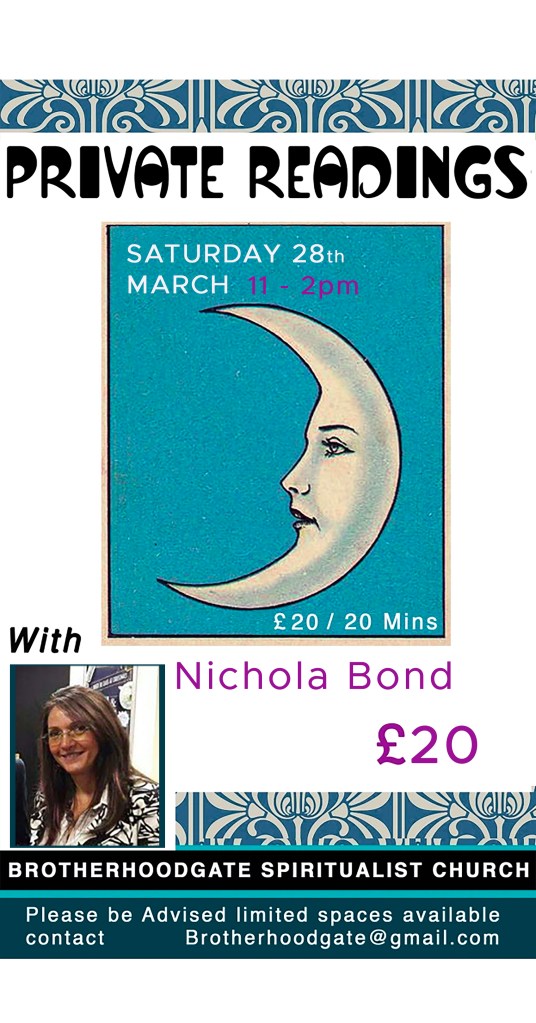
Sat 28th March —11 —2pm – Private Readings with Nicola Bond
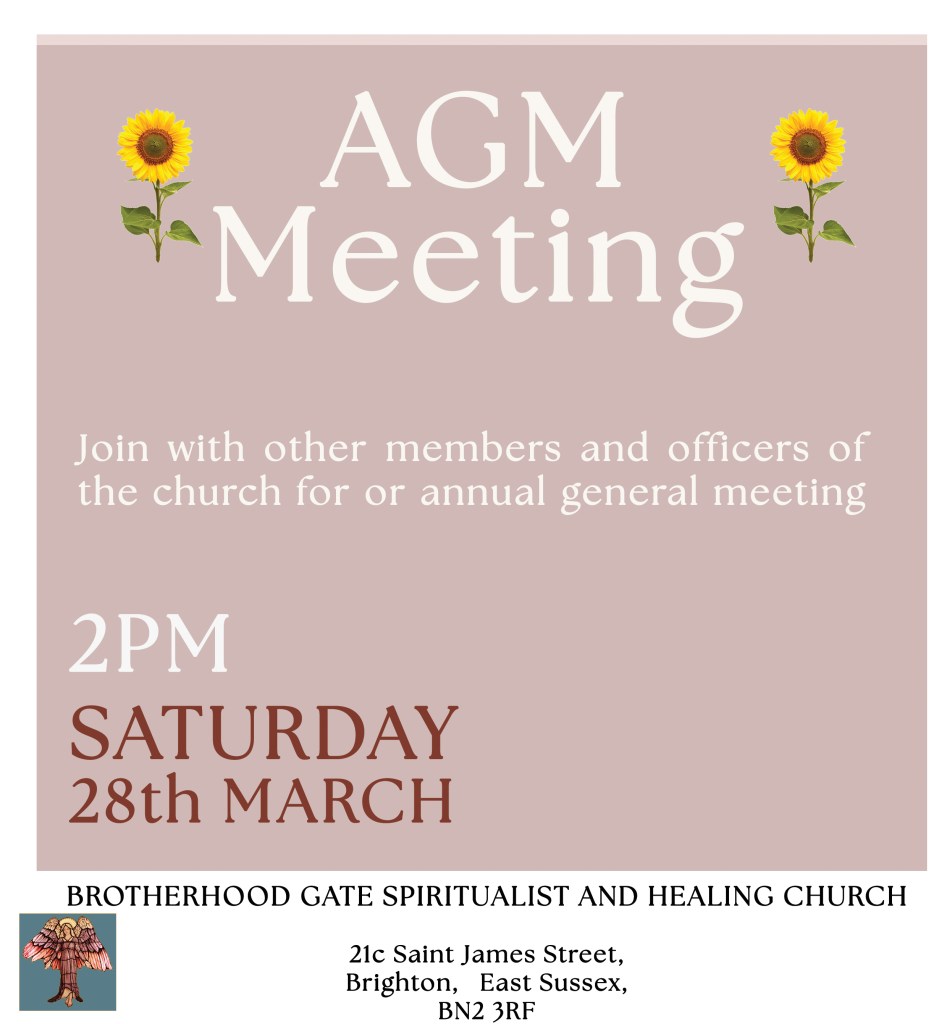
Sat 28th March —2pm – AGM Meeting for church members
Sun 29th March—5pm— Brian Oxley
APRIL
Sun 5th April—5pm— Neil Payne
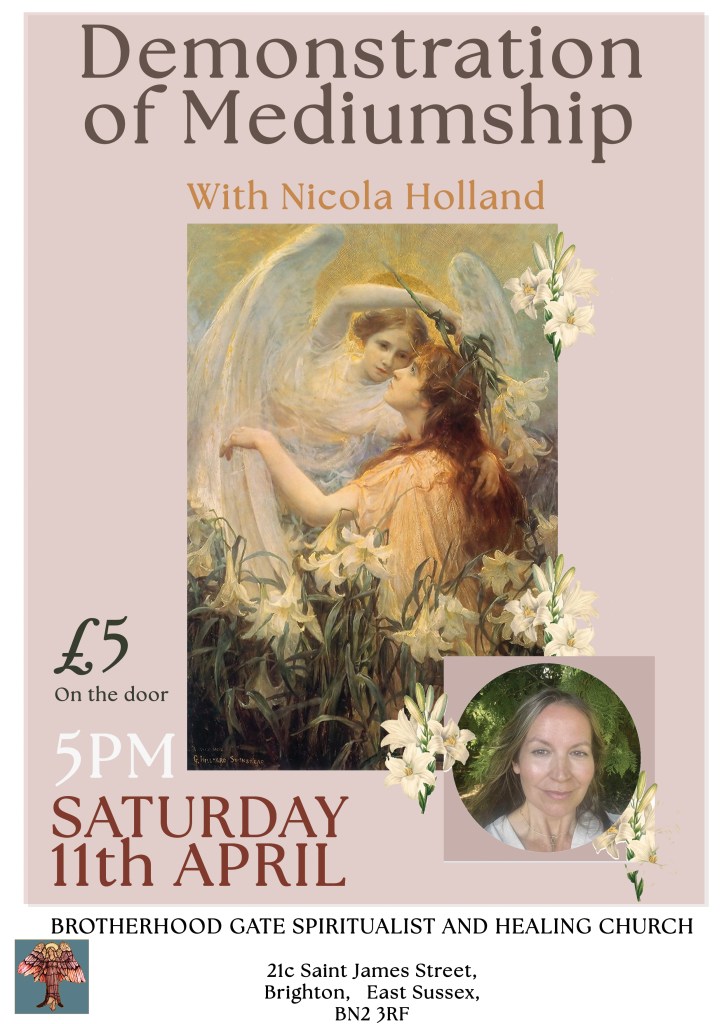
Sat 11th April—5pm— Demonstration with Nicola Holland – £5
Sun 12th April—5pm— CLOSED DUE TO MARATHON
Sun 19th April —5pm— Dorothy Young
Sat 25th April—12 —4pm – Private Readings – Nicola Holland £20
Sun 26th April—5pm— Stephanie Azzopardi
MAY
Sun 3rd May—5pm— Lee Roberts
Sun 10th May—5pm— 5pm— Nichola Bond
Sat 16th May—3pm— Trance Dem with Phil Shaw – £10
Sun 17th May—5pm— Lesleigh Badgery and Malcolm Putland
Sat 23rd May—3pm— Summer Special – Demonstration by Ray Prandergast – £10
Sun 24th May—5pm— Dan Marino
Sat 30th May—12 —4pm – Private Readings with Laura Wood
Sun 31st May—5pm— Charlotte Hill
How to Download Zoom
To see the services download the ‘zoom app’ here – https://zoom.us/signup (its free!)
Fill in your details when prompted and download to your mobile or laptop or Ipad. Once you have the App on your device you will be able to enter the service in the future.
Please enter your name when prompted so it makes it easier for the medium / committee can see who you are 🙂 to ensure the message gets where it needs to.
We’ve tried to stick to the usual format of our divine service with a reading, healing silence, clairvoyance and music. We also have a collection at the end of the service to help cover our costs, and would appreciate whatever you can spare 🙂 More about Zoom
How to access zoom / Join a zoom Meeting
Once you have the app you will be ready to ‘enter a meeting’ and see the service 
When you do ‘Join a Meeting’ You will be asked for the meeting ID
Enter the following code:
983-445-451
Zoom will ask you if it’s ok to access your computers microphone and video – press yes so we can see and hear you
If you do not have an Audio connection on your computer and are unable to hear any sound from the meeting/service. You can also call in from a mobile or landline, and enter the meeting code for access.
To call from a mobile – Dial either one of the two numbers
00 44 20 3051 2874 Enter code 983 445 451#
00 44 20 3481 5237 Enter code 983 445 451#
To call by your location – Dial either one of the two numbers
00 44 203 051 2874 Enter code 983 445 451#
00 44 203 481 5237 Enter code 983 445 451#
 Brotherhood Gate Spiritualist Church